The names that keep coming up
| Option | Why people pick it | The S7 driver truth | Honest catch |
|---|---|---|---|
| Weintek (cMT / MT series) | The budget king; EasyBuilder Pro is free; huge installed base | Dedicated S7-1200/1500 S7CommPlus driver with symbolic, tag-based addressing — imports TIA tags, works with optimized blocks | No TIA integration: alarms, recipes and diagnostics are rebuilt in EasyBuilder idioms |
| Red Lion (CR3000 / G3) | Free Crimson software; superb protocol conversion when one screen must talk to mixed brands | Solid classic S7 Ethernet drivers; verify current S7-1500/symbolic support against Red Lion's driver list before committing | Smaller ecosystem; panel pricing sits mid-market, not budget |
| Pro-face (SP5000 / ST6000) | Panel quality, Schneider backing | Mature S7 drivers | GP-Pro EX is licensed software — you're trading one paid toolchain for another |
| Web/SCADA route (panel PC + FUXA or similar) | Ultimate flexibility, open source | S7 support present; symbolic support varies by project | You become the integrator — the honest DIY guide applies in full |
The lock-in math nobody puts in the quote
WinCC screens do not convert to any third-party package — leaving Siemens means rebuilding the application, and on a big Comfort project the rebuild dwarfs the panel price difference. That's why the honest advice is timing: the alternative becomes realistic when a rebuild is on the table anyway — a dead panel from a retired TP/OP generation, a machine without the project files, a new line. Swapping a healthy, current Comfort Panel to save on hardware usually loses money.
Driver detail that decides projects: classic S7comm drivers need PUT/GET enabled on S7-1200/1500 and non-optimized data blocks. If your program uses optimized blocks throughout (most modern TIA projects do), pick an alternative with true symbolic S7CommPlus support — that's what makes Weintek's dedicated driver the usual answer — or budget PLC-side changes.
How to choose in 60 seconds
- Tightest budget, modern S7 project: Weintek cMT — the symbolic driver does the heavy lifting.
- One screen, several PLC brands: Red Lion — protocol conversion is its whole personality.
- Corporate preference for a big vendor, but not Siemens: Pro-face.
- In-house Linux talent and appetite: the web route — eyes open.
- Allen-Bradley shop asking the mirror question: the PanelView alternatives guide.
Keep producing while you wait
Have the panel project export? Drop a FactoryTalk View, TIA Portal, Weintek or CSV export into our free HMI project converter — it runs in your browser, the file never leaves your PC, and your displays' buttons, indicators and values become app pages with the real tag names already in place. Graphics and alarm logic aren't carried over, and it takes the project export — a bare .mer runtime can't be converted.
Today, from a phone: the free LineKeeper Go for iPhone and iPad speaks EtherNet/IP, Siemens S7 and Modbus TCP. On Allen-Bradley Logix it reads the controller's own tag list automatically; on S7 and Modbus you add the addresses you care about. Build a dashboard in about 15 minutes — the operator panel's start/stop buttons come once the right tags are identified, ideally mapped in advance. Mount a spare iPad in full-screen panel mode, and the operator has a screen before the first repair quote arrives. Reading is free; writes are a one-time unlock with confirmation and limit checks on every value.
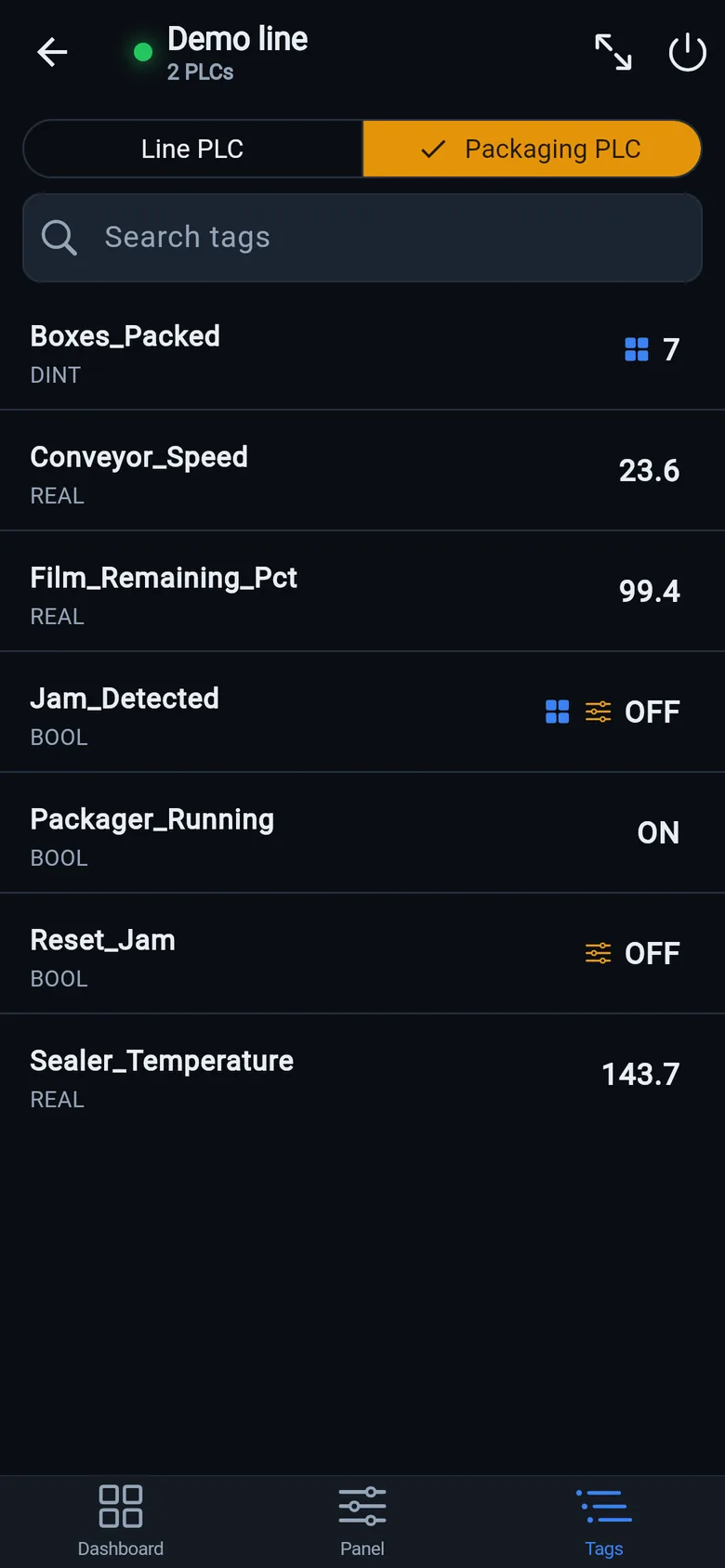
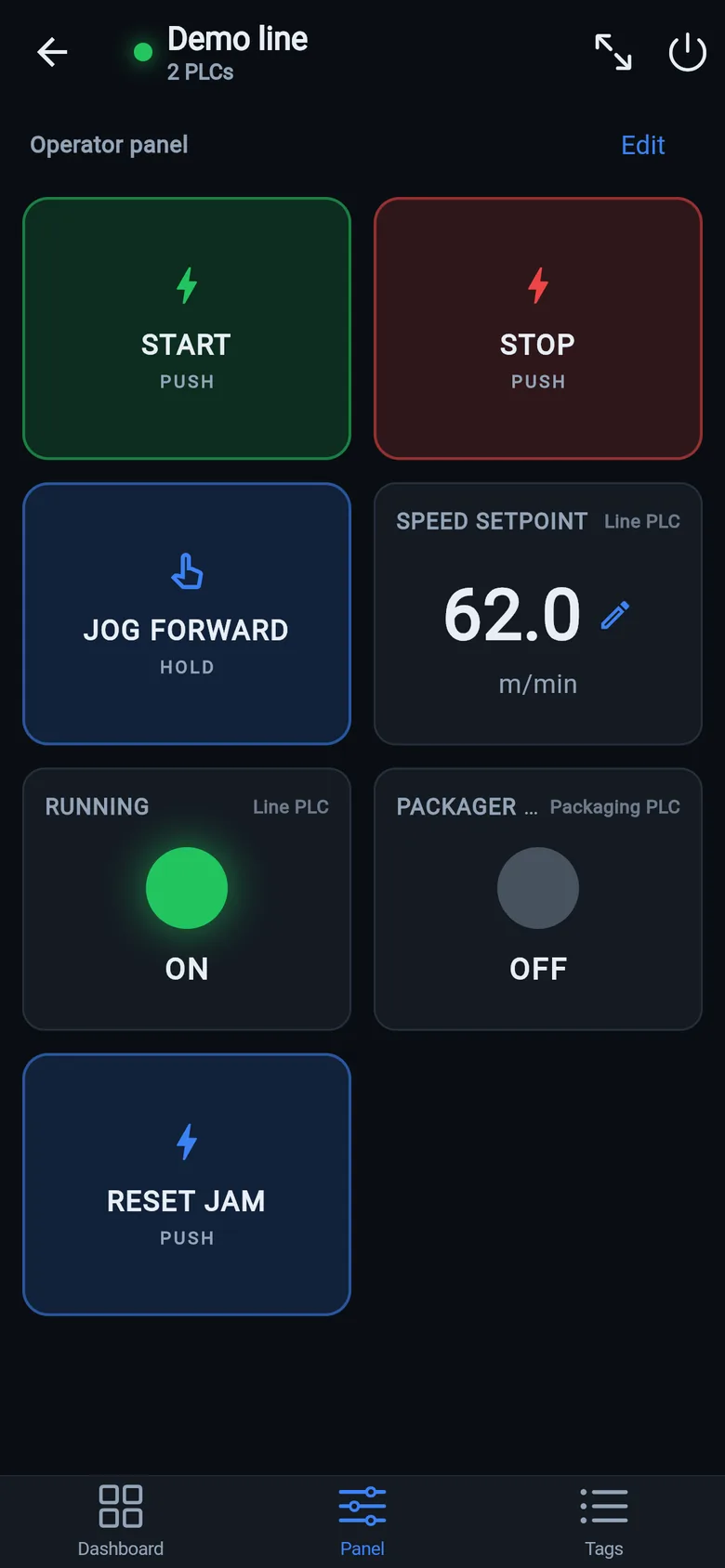
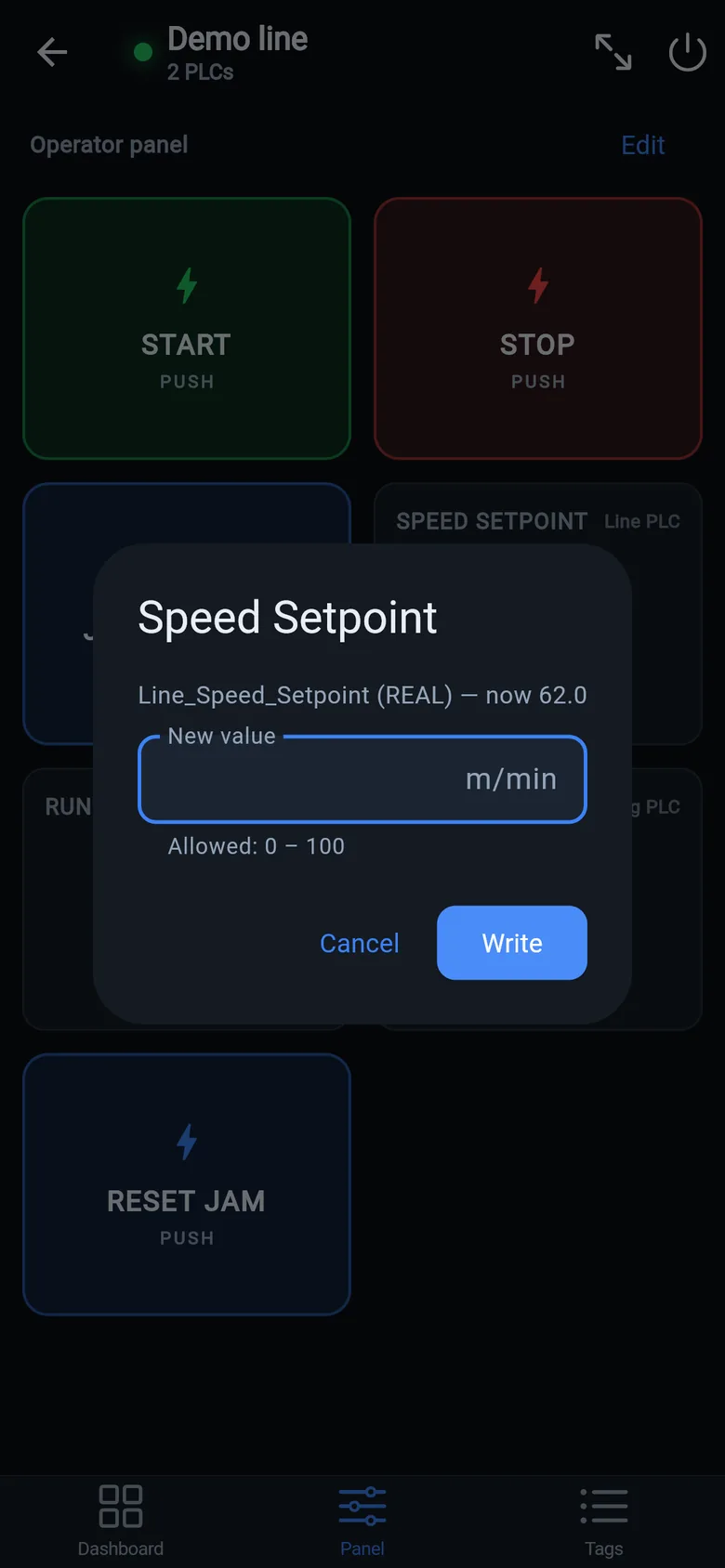
A temporary screen in minutes
Zero-config tag browser for Logix, drag-and-drop dashboard, operator panel, alarms — no changes to the PLC logic.
 On a desktop? Scan with your iPhone or iPad to get the free app.
For the machine itself: LineKeeper On is a self-contained 7″ or 10″ touchscreen built to stand on the machine while the replacement panel is repaired or shipped — the same drag-and-drop screens, plus what a phone shouldn't carry:
- Live view of every mapped tag, refreshed twice a second — plus per-tag unlocked writes, confirmed and audit-logged
- Operator panel: start/stop, indicators, setpoints — hold-to-run releases when your finger lifts (not a safety function)
- Stays useful after the repair: data logging, dashboards, machine diagnostics
Small hardware that helps while the panel is out: a Wi-Fi bridge or a USB-C Ethernet adapter to get the phone onto the machine network, a pole-mount arm for the temporary screen, an IP67 box for the bridge. What each one is for, and when you don't need it, is on the gear list.