The four paths
| Path | Money | Time | The catch |
|---|---|---|---|
| Migrate to PanelView Plus 7 | Hardware + engineering hours | Weeks: lead time + project conversion + testing | Application must be converted in the vendor's HMI development software and re-tested — it's a small project, not a swap |
| Used / new-old-stock Plus 1000 | $500–$2,500, prices vary wildly | Days–weeks | No warranty, unknown hours, shrinking supply — you'll be here again |
| Repair the dead unit | $300–$1,000 for common faults | 1–2 weeks + shipping | Buys time on a discontinued platform; pair with a plan |
| Bridge now, decide calmly | Free app today · device $800–900 on preorder | ~15 minutes to live values with the free app + a free triage call | Minimal by design — key values and buttons, not full HMI graphics |
Have the old panel's project export? The free in-browser HMI converter rebuilds the FactoryTalk View displays' controls (from the View Studio export) as bridge-app screens while you migrate. Diagnosing a symptom rather than replacing? Start with PanelView Plus 7 not working. Considering leaving the PanelView family entirely? See the honest comparison of third-party alternatives — Red Lion, C-more, Weintek, Siemens, Ignition.
Step zero: eyes on the machine today, from a phone
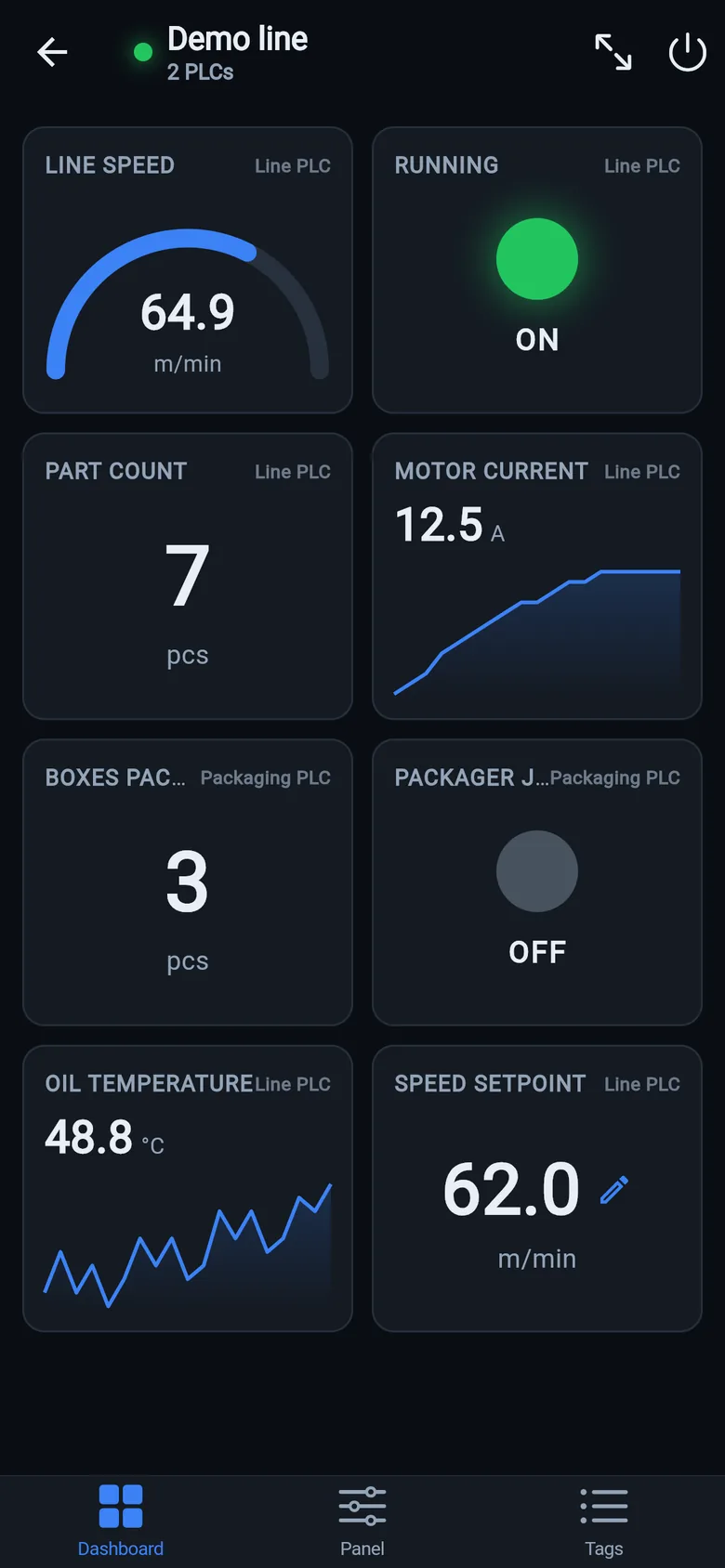
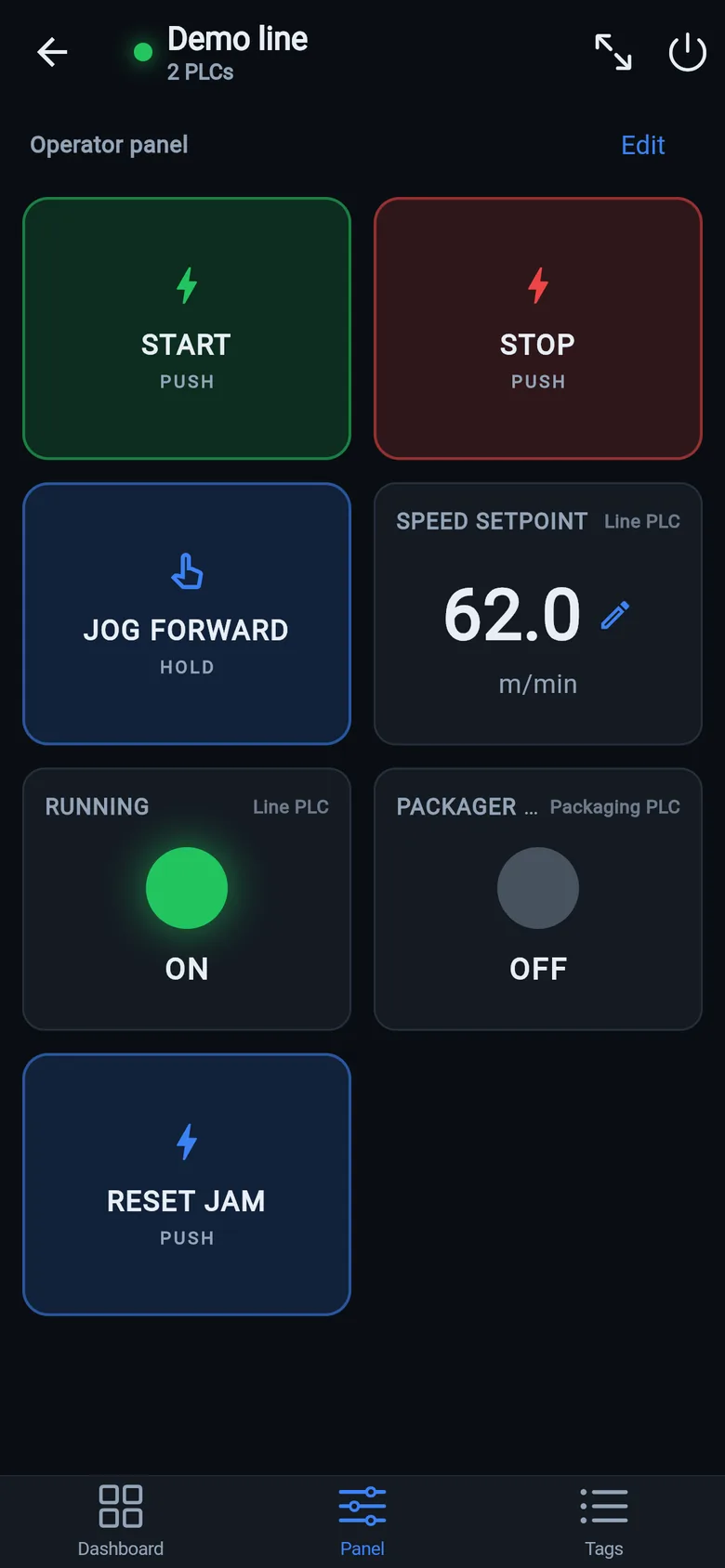
Before weighing the four paths, take the pressure off. The free LineKeeper Go for iPhone and iPad connects to your ControlLogix or CompactLogix over EtherNet/IP, reads the controller's own tag list — nothing to configure — and gives the operator a dashboard in about 15 minutes — start/stop buttons once the right tags are identified. Mount a spare iPad in full-screen panel mode and the machine has a screen while you compare quotes. Reading is free; writes are a one-time unlock, guarded by confirmation and limit checks.
 On a desktop? Scan with your iPhone or iPad to get the free app.
Why "bridge first" often wins
The expensive mistake is deciding under pressure: rush-buying a used unit sight-unseen, or signing a migration quote you haven't compared. A bridge — today the free app — removes the time pressure:
- Production continues. LineKeeper plugs into the PLC network, discovers every ControlLogix/CompactLogix tag automatically, and gives the operator live values and start/stop buttons — no PLC logic changes, no licensed engineering software.
- You choose the migration on your schedule — with quotes compared and the application conversion planned, not improvised over a weekend.
- Nothing is wasted afterwards. When the new panel lands, LineKeeper stays as a diagnostics, data-logging and dashboards tool — the thing the old panel never did anyway.
Small hardware that helps while the panel is out: a Wi-Fi bridge or a USB-C Ethernet adapter to get the phone onto the machine network, a pole-mount arm for the temporary screen, an IP67 box for the bridge. What each one is for, and when you don't need it, is on the gear list.
Panel just went dark and you're reading this from the plant floor? Start with the 10-minute triage checklist — a share of "dead" Plus 1000s are a $40 power supply or a repairable backlight.