Symptom → most likely cause
| Symptom | Usual suspects | What to do |
|---|---|---|
| Screen dark | 24 VDC, fuse, backlight — same electrics as any brand | Flashlight test first: the black-screen triage |
| Touch dead or drifting, display fine | Calibration drift or a worn resistive layer; something pressing the glass reads as a constant touch | Recalibrate from the offline menu; check the bezel and any overlay |
| Won't finish booting / runtime won't start | Corrupted runtime or project storage | Forced-transfer mode (below), then re-transfer from GP-Pro EX |
| Boots, but no PLC data | Comms, not the panel | the brand-agnostic comms checklist |
Forced-transfer mode: the recovery door
When the runtime is corrupt and the panel won't start normally, Pro-face terminals have a hardware way in: power the unit on while holding a finger on the bottom-left or bottom-right corner of the screen (roughly a 40-pixel zone) — the panel comes up in forced-transfer mode and accepts a fresh runtime and project from GP-Pro EX. You need the project file and a GP-Pro EX installation; unlike some competitors, the software is licensed, so make sure the license and the .prx project live somewhere findable before the outage.
The connection key and password walls
- Forgotten connection key: resettable, at a price — enter offline mode → Initialization Menu → Initialize User Memory (code 1101 when no system password is set). This wipes the project and the SRAM backup data (recipes, retained values) along with the key.
- Password-protected project: blocks upload entirely. If the original project file is lost and the project is locked, a working panel is the only copy — treat it accordingly: back up now, label the file, store it off the machine.
- The honest rule: on Pro-face, losing the project file hurts more than losing the panel. Hardware is replaceable; a locked, dead panel means rebuilding screens from photographs.
Repair or replace
Display, backlight and touch repairs run the usual $300–$1,000 and 1–2 weeks. For legacy GP2000/3000 and AGP series, spares are scarce and the decision drifts toward migration to the current SP5000/ST6000 lines — which means GP-Pro EX project conversion work. Either way the machine doesn't have to wait: the PLC underneath is still running.
Keep producing while you wait
Have the panel project export? Drop a FactoryTalk View, TIA Portal, Weintek or CSV export into our free HMI project converter — it runs in your browser, the file never leaves your PC, and your displays' buttons, indicators and values become app pages with the real tag names already in place. Graphics and alarm logic aren't carried over, and it takes the project export — a bare .mer runtime can't be converted.
Today, from a phone: the free LineKeeper Go for iPhone and iPad speaks EtherNet/IP, Siemens S7 and Modbus TCP. On Allen-Bradley Logix it reads the controller's own tag list automatically; on S7 and Modbus you add the addresses you care about. Build a dashboard in about 15 minutes — the operator panel's start/stop buttons come once the right tags are identified, ideally mapped in advance. Mount a spare iPad in full-screen panel mode, and the operator has a screen before the first repair quote arrives. Reading is free; writes are a one-time unlock with confirmation and limit checks on every value.
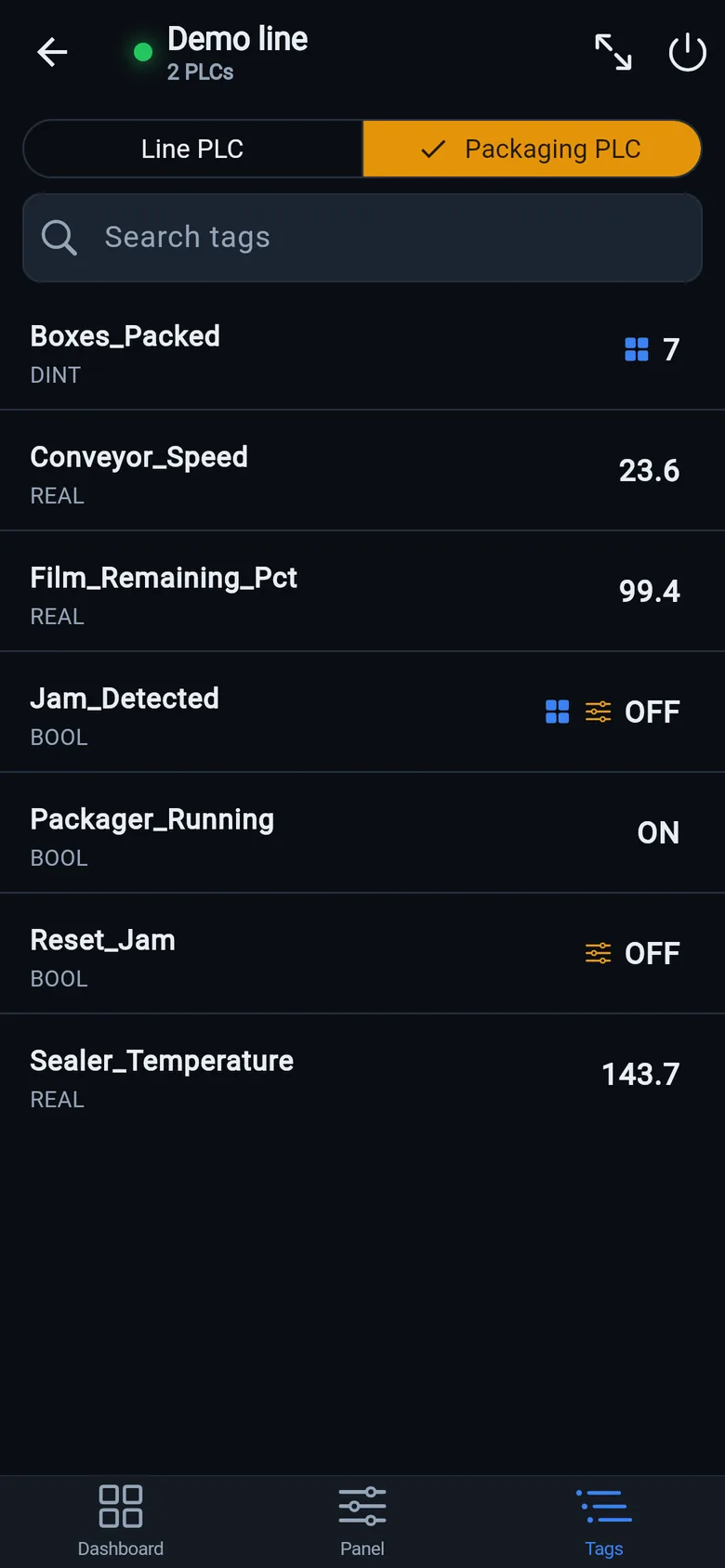
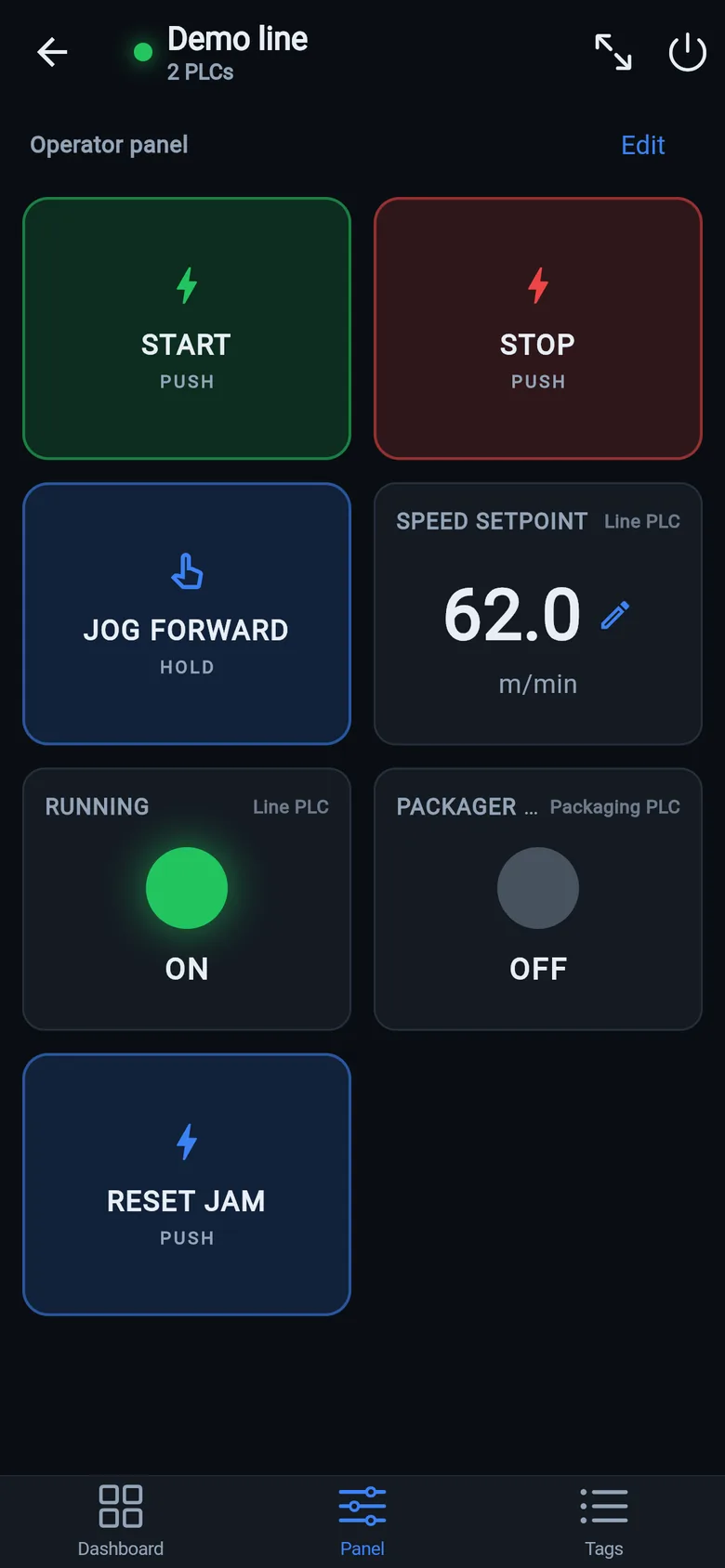
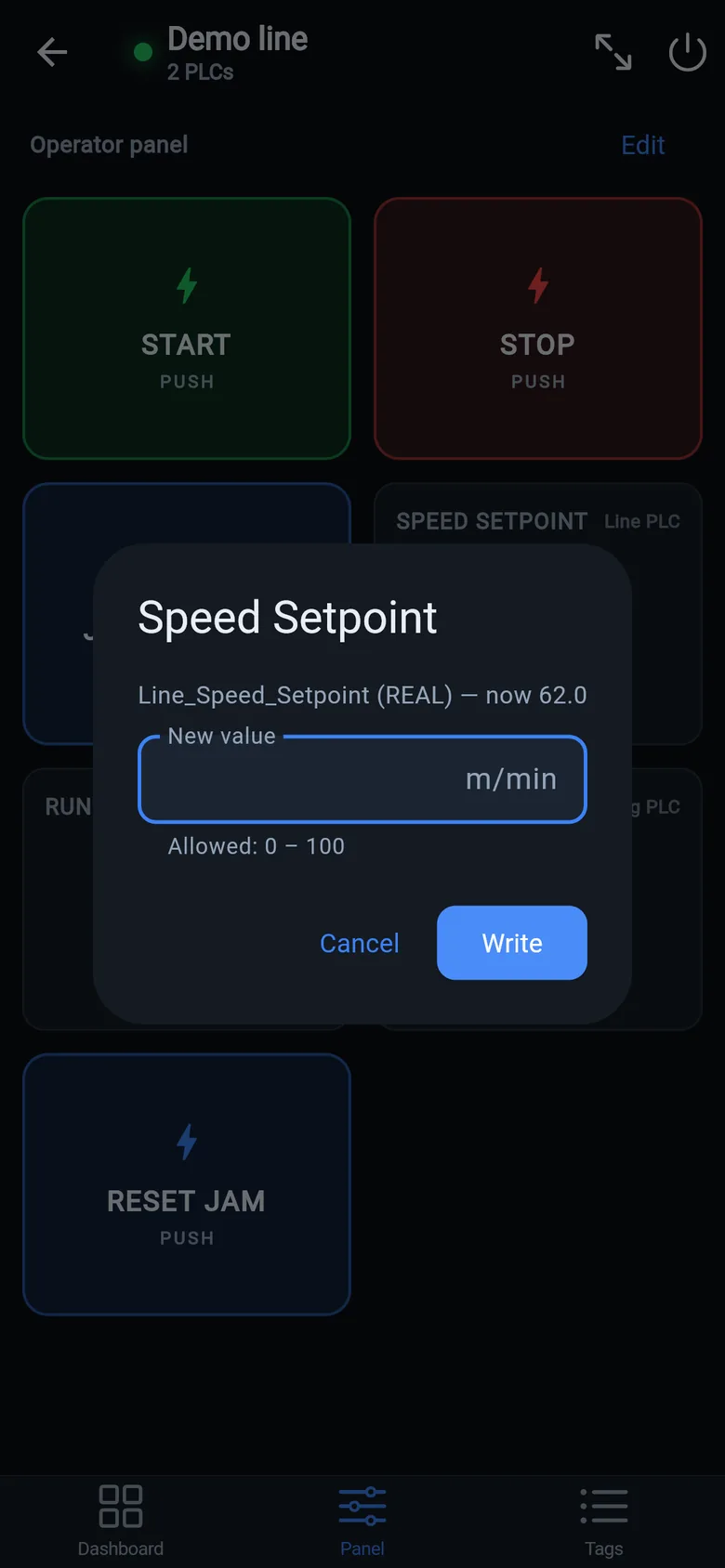
A temporary screen in minutes
Zero-config tag browser for Logix, drag-and-drop dashboard, operator panel, alarms — no changes to the PLC logic.
 On a desktop? Scan with your iPhone or iPad to get the free app.
For the machine itself: LineKeeper On is a self-contained 7″ or 10″ touchscreen built to stand on the machine while the replacement panel is repaired or shipped — the same drag-and-drop screens, plus what a phone shouldn't carry:
- Live view of every mapped tag, refreshed twice a second — plus per-tag unlocked writes, confirmed and audit-logged
- Operator panel: start/stop, indicators, setpoints — hold-to-run releases when your finger lifts (not a safety function)
- Stays useful after the repair: data logging, dashboards, machine diagnostics
Small hardware that helps while the panel is out: a Wi-Fi bridge or a USB-C Ethernet adapter to get the phone onto the machine network, a pole-mount arm for the temporary screen, an IP67 box for the bridge. What each one is for, and when you don't need it, is on the gear list.